> ## Documentation Index
> Fetch the complete documentation index at: https://docs.peerdb.io/llms.txt
> Use this file to discover all available pages before exploring further.
# PostgreSQL to BigQuery
### Scenario
Let's consider a scenario where we have an events table in PostgreSQL. We want to periodically sync data from this table in PostgreSQL to BigQuery. However, we only want to sync a few columns filtered based on the country (USA) and create a single denormalized view of the data in BigQuery. Let's see how we can achieve this within a few minutes and a few SQL commands using PeerDB.
### Step 1: Add PostgreSQL and BigQuery Peers
Run the following commands to add the PostgreSQL and BigQuery Peers to PeerDB:
```sql theme={null}
-- Connect to PeerDB
psql "port=9900 host=localhost password=peerdb"
-- Add PostgreSQL and BigQuery peers
CREATE PEER postgres_peer FROM postgres (...);
CREATE PEER bigquery_peer FROM bigquery (...);
```
Make sure to replace `(…)` with the appropriate connection details for both the PostgreSQL and BigQuery instances. More details on adding peers are available [here](/sql/commands/create-peer).
### **Step 2: Set up MIRROR to Transform and Sync Data**
With the peers set up, you can create a mirror that facilitates periodic sync from PostgreSQL to BigQuery with custom transformations.
```sql theme={null}
-- Customizable ETL from PostgreSQL to BigQuery
CREATE MIRROR streaming_query_pg_to_bq FROM
postgres_peer TO bigquery_peer FOR
$$
SELECT * FROM events WHERE
updated_at BETWEEN {{.start}} AND {{.end}}
$$
WITH (
destination_table_name = 'events',
watermark_column = 'updated_at',
watermark_table_name = 'public.events',
mode = 'upsert',
unique_key_columns = 'id',
parallelism = 64,
refresh_interval = 30,
num_rows_per_partition = 50000
);
```
### **Step 3: Validate the Mirror**
Using the same PostgreSQL-compatible SQL interface of PeerDB, you can quickly validate the MIRROR.
```sql theme={null}
-- Validate the mirror
SELECT COUNT(*) FROM postgres_peer.events;
SELECT COUNT(*) FROM bigquery_peer.events;
```
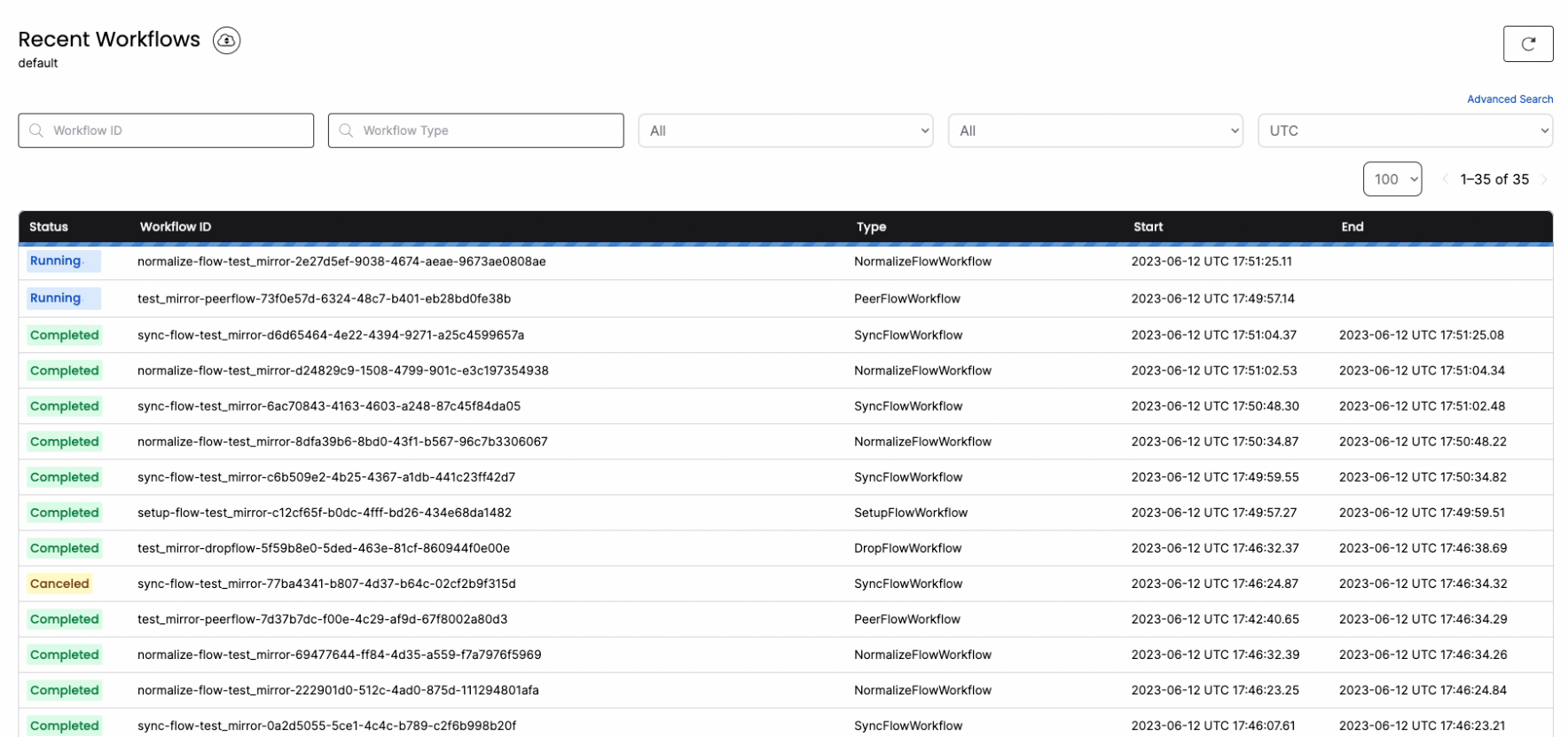
### Step 4: Monitor the MIRROR
You can connect to `localhost:8085` to gain full visibility into the different jobs and steps that PeerDB performs under the hood to manage the MIRROR.
 ### Step 5: DROP MIRROR
To make it easy in your development and test environments, PeerDB also introduces the DROP MIRROR command. DROP MIRROR drops all the underlying objects that CREATE MIRROR generates. More details are available in this [PR](https://github.com/PeerDB-io/peerdb/pull/93).
```sql theme={null}
-- drop the mirror
DROP MIRROR ;
```
### Support
If you run into any issues, join our [slack channel](https://slack.peerdb.io) and reach out to us. You can file an issue on our [github repository](https://github.com/peerdb-io/peerdb) or reach out to [founders@peerdb.io](mailto:founders@peerdb.io) . We will follow up!
### Step 5: DROP MIRROR
To make it easy in your development and test environments, PeerDB also introduces the DROP MIRROR command. DROP MIRROR drops all the underlying objects that CREATE MIRROR generates. More details are available in this [PR](https://github.com/PeerDB-io/peerdb/pull/93).
```sql theme={null}
-- drop the mirror
DROP MIRROR ;
```
### Support
If you run into any issues, join our [slack channel](https://slack.peerdb.io) and reach out to us. You can file an issue on our [github repository](https://github.com/peerdb-io/peerdb) or reach out to [founders@peerdb.io](mailto:founders@peerdb.io) . We will follow up!